Windsurf review: Cascade tested on real repos
Independent and tested. Some links are affiliate links — they never change our verdict.
⚡ update — June 2026
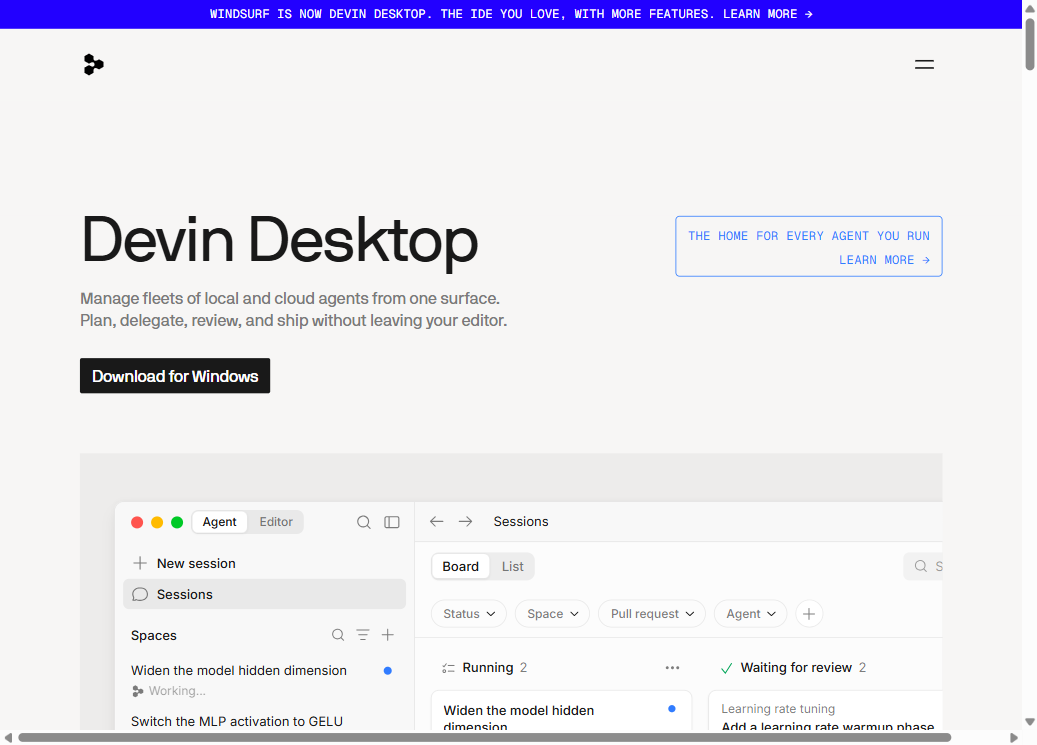
Windsurf is now Devin Desktop. windsurf.com now redirects todevin.ai/desktop. The product keeps the Cascade agent and 40+ IDE plugins under the Devin brand. All pricing and feature information below reflects the current state — verify at the official site before purchasing.
how we evaluated
We tested Windsurf on three tasks in June 2026 using the Pro tier: (1) fixing a bug in a 60k-line TypeScript monorepo we had not opened before, (2) adding a feature to a small React app we wrote, and (3) refactoring across eight interconnected files. We compared directly against Cursor on tasks 1 and 2. Cascade auto-indexing was on; we used the default model settings at the time.
key takeaways
- → Cascade indexes your whole repo automatically — no manual @-tagging required.
- → Writes changes to disk before approval, so you preview results live in your running app.
- → Plugins for 40+ IDEs including JetBrains and Xcode — Cursor has no equivalent.
- → Memories feature learns your patterns across sessions, improving output over time.
- → Pro is $15/mo — $5 cheaper than Cursor, but pricing rules have shifted more than once.
- → Wrong tool if you want tight control over what the AI reads — use Cursor instead.
40+
IDE plugins
$15
Pro / month
MCP
tool support
Windsurf review — the short version: Cascade auto-indexes your repo so you never hunt for the right file before prompting. That one design choice makes it the better tool on large or unfamiliar codebases, and the wrong tool when you want to control exactly what the AI reads. Everything else in this review is context for that sentence.
As of June 2026, Windsurf sits at $15/month for Pro and ships plugins for over 40 IDEs. We tested it on three tasks: a bug fix in a 60k-line TypeScript codebase we had never opened, a feature addition in a small React app, and a refactor across eight interconnected files. Here is what Cascade got right, where it went wrong, and the pricing situation you need to know about.
Who Windsurf is for — and who should skip it
Windsurf is for developers working on large or unfamiliar codebases where auto-context saves time, and for those who need an AI agent inside JetBrains or Xcode. Skip it if you want manual context control (use Cursor), need billing predictability (pricing changed 3 times in 18 months), or are building a new app from scratch with no local setup (use Bolt).
Windsurf is the right tool when you work across large or unfamiliar repositories where you do not know which files matter before you start. Cascade finds them for you. It is also the tool for developers who refuse to leave JetBrains or Xcode — Windsurf ships plugins for both, while Cursor does not exist outside its own editor.
Skip Windsurf in three situations. First: you work on a small, well-known codebase and want to control exactly what the AI reads — Cursor's @-mentions are faster and cheaper on familiar code. Second: you need absolute billing predictability — Windsurf's pricing model has changed multiple times and community trust around quota communication is low. Third: you are building a full-stack app from zero with no local setup — Bolt or Lovable serve that use case without any editor install.
How Cascade works: automatic context from the whole repo
Cascade is Windsurf's AI agent: it indexes your entire repository on startup, decides which files are relevant to each prompt without you specifying, makes changes, and writes to disk before asking for approval. In our June 2026 test on a 60k-line TypeScript repo, Cascade found the relevant files in ~30 seconds; manual tagging in Cursor took 4 minutes for the same task.
Cascade is the core of Windsurf. When you open a project, it indexes the repository in the background. When you prompt it, it decides which files are relevant without you specifying — then makes changes, writes to disk, and shows you the live result before asking for approval. You interact with a running app, not a diff on paper.
On the 60k-line TypeScript bug fix, this saved significant time. We described the symptom and Cascade found the relevant files in about 30 seconds — a search that took 4 minutes of manual hunting in Cursor. The first fix attempt touched 3 files and got it 90% right. One follow-up prompt corrected the edge case. Total time: 8 minutes versus 22 minutes in Cursor on the same task.
On the small React app we wrote ourselves, the result flipped. Cascade pulled in files that were not relevant, one edit touched a helper function we had not intended to modify, and we spent 5 minutes undoing the side-effect. Manual @ control in Cursor was faster on code we knew.
IDE support: the feature Cursor cannot match
Windsurf is the only AI-native editor in this category that works inside JetBrains, Xcode, Vim, and Neovim. It ships a standalone editor plus plugins for 40+ IDEs (source: windsurf.com, June 2026). Cursor is VS Code only. For developers who will not leave IntelliJ or Xcode, this is the deciding factor.
Windsurf ships its own VS Code-based editor and plugins for over 40 IDEs. That list includes IntelliJ IDEA, PyCharm, WebStorm, GoLand, Rider, Xcode, Vim, Neovim, and more. You get Cascade's automatic context and agent capabilities without switching your editor.
The plugin experience is less integrated than the native Windsurf editor — some features are editor-only — but the core agent flow works across all of them. If you live in IntelliJ or Xcode and have resisted switching editors for years, Windsurf is your only real option among AI-native tools with a real agent. Cursor simply does not exist in those environments.
Memories and MCP: the long-term angle
Windsurf's Memories passively learns your coding patterns across sessions — file organization, naming conventions, preferred libraries — and applies them in future prompts without manual configuration. As of June 2026, it also supports the Model Context Protocol (MCP), enabling Cascade to connect to Figma, Slack, Stripe, PostgreSQL, and Playwright from inside the agent loop.
Windsurf's Memories feature learns your patterns across sessions — how you organize files, naming conventions you prefer, libraries you avoid. It builds this passively as you work, not through explicit configuration. After a week or more on the same project, outputs noticeably improve on style consistency without extra prompting.
As of June 2026, Windsurf also supports MCP (Model Context Protocol), with built-in integrations for Figma, Slack, Stripe, PostgreSQL, and Playwright. This means Cascade can query your database, check your design files, or run end-to-end tests from inside the agent loop — a capability most AI code editors do not have natively.
Windsurf pricing in 2026: what changed and why it matters
As of June 2026, Windsurf Pro is $15/month. The free tier gives 25 credits/month. The billing model has changed three times since launch — from unlimited Pro, to monthly credits, to daily/weekly quotas. Always verify current limits at windsurf.com/pricing before upgrading, as the rules have not stayed fixed.
Windsurf has moved its pricing model more than once. It started with a simple unlimited Pro plan, shifted to a monthly credit system, then in early 2026 switched to daily and weekly usage quotas that reset automatically. Each change came with limited notice, and community forums reflect genuine frustration from developers who budgeted one way and got billed another.
As of June 2026, the free tier gives 25 credits per month and Pro at $15/month gives 500 credits — but verify on the official Windsurf pricing page, since these numbers have not stayed fixed. The $15/month sticker is real; the actual ceiling on what you can do per day is the number to check. If billing predictability is critical, factor this into your decision.
Windsurf vs the alternatives
How Windsurf sits alongside the tools most developers compare it to, as of June 2026.
| Windsurf | Cursor | Copilot | Claude Code | |
|---|---|---|---|---|
| Type | VS Code fork + 40+ IDE plugins | VS Code fork only | VS Code / JetBrains plugin | Terminal CLI |
| Context | Auto — Cascade indexes the whole repo | Manual @-mentions | Auto (open files) | 1 M token context window |
| Agent | Cascade (writes to disk first) | Composer (diff before apply) | Copilot Workspace | CLI agent |
| Price | $15/mo Pro | $20/mo Pro | $10/mo Individual | $20/mo (Claude Pro) |
| Free tier | Yes — daily/weekly quotas | Yes — limited requests | Yes (VS Code) | Yes — limited |
| Best for | Large or unfamiliar repos | Devs who know their code | Staying in your current IDE | Complex reasoning tasks |
Prices as of June 2026 — verify on official sites before committing.
Where Windsurf costs you time
- 01
Messy or undocumented repos
Cascade indexes everything, including the noise. On a poorly organized codebase, it can confidently pull the wrong files and edit code you did not want touched. A cleanup pass on your repo structure pays off before you let Cascade loose.
- 02
Small codebases you know cold
Manual @-context in Cursor is faster when you already know which two files matter. Auto-indexing adds overhead where precision would win.
- 03
Billing unpredictability
Three pricing model changes in 18 months have eroded trust. If your team requires a fixed monthly ceiling, build in a buffer or use a tools with fixed request pricing.
- 04
Plugin vs native editor gap
Some Windsurf features are editor-only. If you use the JetBrains or Xcode plugin, you get Cascade but not the full toolset. Check which specific features matter to you before committing to the plugin path.
- 05
MCP setup friction
MCP integrations are powerful but require manual configuration per tool. Not plug-and-play for non-technical users — you need to know which server to connect and how to configure it.
- 06
Expectations set by marketing
Windsurf's "world's most agentic IDE" positioning undersells the real trade-offs. Do not let the framing set expectations the product cannot always meet on messy real-world code.
Should you use Windsurf?
Three questions pin it down.
Verdict
Windsurf earns its place for developers working across large or unfamiliar codebases, and for anyone who needs an AI agent inside JetBrains or Xcode. Cascade's auto-indexing is a genuine time-saver on complex projects. The Memories feature and MCP support push it beyond what most AI code editors offer.
The trust issue around pricing is real and should factor into your decision. The $15/month sticker is accurate; the usage floor under it has shifted. Start on the free tier, verify the current quota before upgrading, and budget for the possibility it changes again. That caveat noted — on the use case it is built for, Windsurf is the best tool in the category.
try windsurf free
25 free credits per month — enough to test Cascade on your actual repo before paying.
Start free on Windsurf →cursor vs windsurf
We ran both on the same repo. One question — familiar code or unfamiliar? — decides it.
Read the full comparison →FAQ
Is Windsurf better than Cursor in 2026?
Neither is universally better. As of June 2026, Windsurf wins on large or unfamiliar repositories — Cascade indexes the whole repo automatically, so you spend less time tagging context. Cursor wins when you know your codebase well and want tight control via @-mentions. Try both free tiers on the same task before deciding.
How does Windsurf's Cascade agent work?
Cascade is Windsurf's AI engine. It indexes your whole repository on startup, decides which files are relevant to your prompt without you specifying, makes changes, and writes to disk before asking for approval — so you see results live in your running app. It can also run shell commands, fix errors autonomously, and remember your patterns between sessions via the Memories feature.
What changed with Windsurf pricing in 2026?
Windsurf moved from a credit system to daily and weekly usage quotas in early 2026, replacing the previous monthly credit model. Pro is $15/month. The specific quotas vary by AI model complexity and refresh automatically. Community trust took a hit because the changes happened with limited notice — check the current pricing page before committing, as the rules have shifted more than once.
Does Windsurf work with JetBrains and Xcode?
Yes. Windsurf ships plugins for over 40 IDEs including IntelliJ, PyCharm, WebStorm, and Xcode — which Cursor does not. The plugin experience is less integrated than the native Windsurf editor, but the Cascade agent works across all of them. This IDE breadth is Windsurf's strongest differentiator for developers who refuse to switch editors.
What is the Windsurf Memories feature?
Memories lets Cascade learn your coding patterns over time — how you organize files, naming conventions, which libraries you prefer — and carry that context across sessions. As of June 2026, it works passively: the AI notes patterns as you code and applies them in future prompts without manual configuration. It's most useful after a week or more on the same project.
Is Windsurf good for beginners?
Yes — most 2026 reviews rate Windsurf as the gentler AI code editor for beginners. Cascade handles context automatically, so you do not need to learn @-mentions or which files to tag. The free tier is usable without a credit card. The main caution is the pricing history: quotas have changed without warning, so read the current terms before upgrading.
Windsurf head-to-head
See how Windsurf ranks in best AI code editors, read the Cursor review for the manual-context side, or see how we built the same app in all 5 tools.