Bolt.new review: fastest path from prompt to deployed app
Independent and tested. Some links are affiliate links — they never change our verdict.
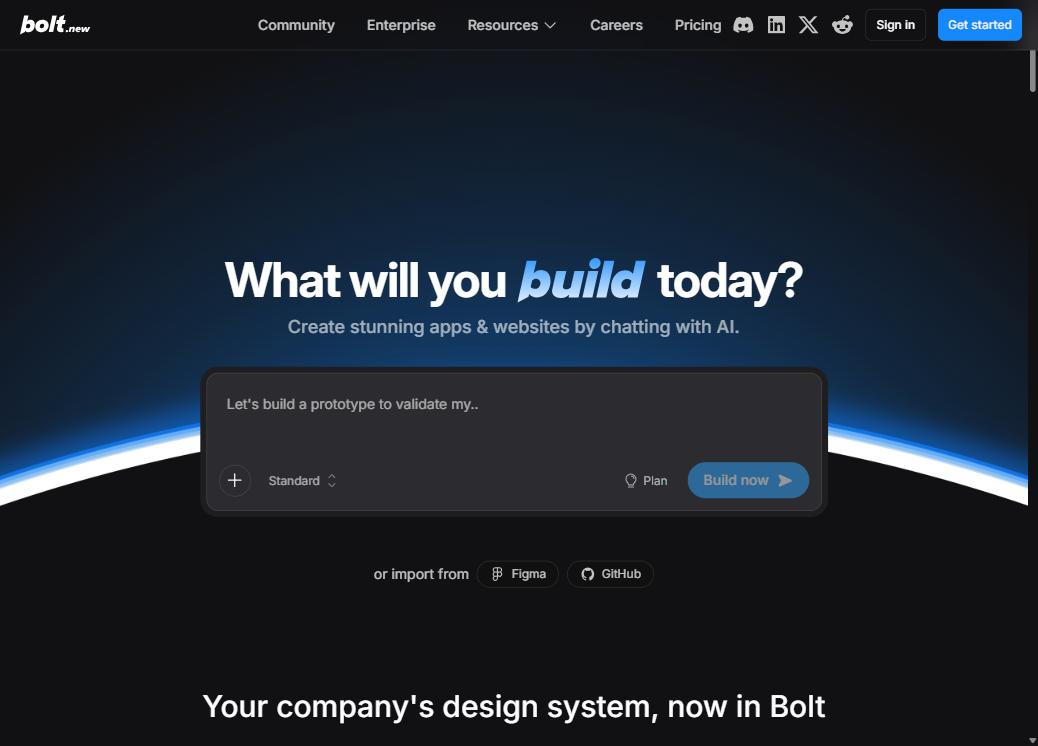
how we evaluated
We tested Bolt.new on three projects in June 2026 using the free tier and one Pro day: (1) a landing page for a SaaS product from a 2-sentence prompt, (2) a SaaS dashboard prototype with mock data and Supabase integration, and (3) an admin panel with a permission system and multiple user roles. We tracked time-to-first-preview, token consumption, and how many correction prompts the third project required before the logic worked correctly.
key takeaways
- → Zero install — runs a full Node.js environment in your browser via WebContainers.
- → Prompt → running app → deployed in under 5 minutes on a simple project.
- → Supports React, Vue, Node.js, and Supabase backend out of the box.
- → Token billing syncs the whole codebase per interaction — costs compound on large or complex projects.
- → Free tier: ~1 M tokens/month with daily cap — enough for a small prototype, not for heavy development.
- → Customer support is largely automated as of 2026 — a real weakness if billing issues arise.
<5 min
prompt to deploy
$20
Pro / month
1 M
free tokens/mo
Bolt.new review: the fastest tool in this category for going from zero to a deployed app, by a margin that matters. A landing page takes under 5 minutes. A working prototype with a database and auth takes under 30. No terminal, no npm, no IDE. That speed advantage is real and repeatable on simple projects.
The question is not whether Bolt is fast — it is whether the use case fits. We built a landing page, a SaaS dashboard prototype, and an admin panel in Bolt in June 2026. Two were great. One hit a token wall that made iteration expensive and slow. Here is what we found.
What makes Bolt different: WebContainers explained
WebContainers — the technology from StackBlitz that powers Bolt — runs a complete Node.js environment inside your browser tab: npm installs, dev server, API routes, and live preview all happen without a server or local install. This is why Bolt can deliver a running app in under 2 minutes from a first prompt with zero setup.
Most AI coding tools connect to a server to run your code. Bolt does something different. WebContainers — a technology from StackBlitz, the company behind Bolt — runs a full Node.js environment inside your browser tab. It installs npm packages, runs a dev server, executes API routes, and serves a live preview, all without a server you can see or a machine you need to configure.
This is why Bolt can deliver a running app in under a minute from a first prompt. There is no provisioning time, no cloud spin-up delay, and no environment mismatch between local and production. The entire development cycle runs in one browser tab. That is a genuine technology advantage, not marketing language.
What Bolt builds reliably — and what it doesn't
Bolt reliably produces landing pages, SaaS dashboards, booking tools, admin panels, portfolio sites, and simple e-commerce storefronts on the first prompt. Projects requiring complex state management, multi-service integrations, or production-grade auth beyond Supabase basic patterns start to exceed the tool's reliable output range. The table below maps fit by project type.
Bolt's reliability depends heavily on project complexity. Standard web application types work well on the first prompt. Everything requiring deep state management, multi-service integrations, or complex business logic gets harder as the project grows.
| Use case | Bolt fit? | Note |
|---|---|---|
| Landing pages | ✓ Yes | Fastest tool for this — under 5 min to deployed |
| MVP / prototype | ✓ Yes | Excellent for validation before investing in a real codebase |
| Hackathon projects | ✓ Yes | Zero setup, fast iteration, instant deploy |
| Demo for investors | ✓ Yes | Looks polished enough for a first meeting |
| Internal tool | ✓ Yes | Works if the logic is simple and the team is small |
| Production SaaS | ✗ No | Token costs compound; complex logic hits limits |
| Large existing codebase | ✗ No | Bolt is built for greenfield, not for joining an existing project |
| Mobile app | ✗ No | Web only — iOS/Android need FlutterFlow or Expo |
The token billing reality: how costs add up
Bolt bills per token, and every interaction syncs your entire codebase with the model — not just the changed code. Free tier: ~1 million tokens/month with a daily cap (source: bolt.new, June 2026). In our admin panel test with 30 debug prompts, we consumed ~400,000 tokens in 2 hours — the free daily limit, in one session.
Bolt's billing model is fundamentally different from a subscription cap like Cursor's. Every time you prompt Bolt, it syncs your entire codebase with the model — even if you only changed one function. On a small project with 20 files, this is fine. On a project with 200 files and a debugging session that takes 30 prompts, the token math gets ugly fast.
The free tier gives roughly 1 million tokens per month with a daily cap. On the landing page we built, the whole session used about 80,000 tokens — well within the free limit. On the admin panel with a complex permission system, the debugging loop burned through 400,000 tokens in two hours. Know your project size and expected iteration count before choosing a plan.
Pro at around $20–25/month gives 10 million+ tokens with rollover. Check theofficial Bolt pricingbefore committing — the limits and plan structure have changed before.
Verdict
Bolt.new is the fastest tool in the category for going from an idea to a running app. No other tool matches it on that specific metric. If you are validating a concept, building for a demo, shipping a landing page, or handing a prototype to a stakeholder, it is the right pick.
It is the wrong pick for a production codebase with growing complexity. Token billing is hard to predict on iteration-heavy work, and the support situation (largely automated as of 2026) means billing disputes are slow to resolve. For a project that will live for months, move to Cursor or Lovable once the prototype validates.
try bolt free
~1 M free tokens per month, no credit card required — test it on a real prototype.
Start free on Bolt →bolt vs lovable
Both build full-stack apps from prompts. One is faster; one produces cleaner UI. We tested both.
Read the comparison →FAQ
Is Bolt.new worth it in 2026?
Yes, for its specific use case: going from a text prompt to a deployed web app with no installation. For landing pages, prototypes, and hackathon projects it has no real peer on speed. It is not worth it as a replacement for a real code editor on a long-lived production codebase — token costs compound fast and the billing model is hard to predict on iteration-heavy work.
How does Bolt.new billing work in 2026?
Bolt uses token-based billing. Every interaction syncs your entire codebase with the model, so larger projects and more frequent prompts consume tokens faster. The free tier gives around 1 million tokens per month with a daily cap — enough for a small prototype but not for sustained development. Pro starts around $20–25/month. Costs can escalate fast on a project with complex debugging loops.
What can Bolt.new build?
Landing pages, SaaS dashboards, portfolio sites, booking tools, admin panels, simple e-commerce storefronts, and browser-based prototypes all work reliably. Bolt runs React, Vue, Node.js backends, and integrates with Supabase for databases and auth. It struggles with complex state management, multi-service integrations, and apps that require tight control over the production environment.
Does Bolt.new work without coding skills?
Yes — that is its primary design goal. You describe what you want in plain English, Bolt generates and runs the code in a WebContainer (a browser-based Node.js environment), and you see a live preview. No terminal, no IDE, no package manager. The limit is that debugging complex errors still benefits from knowing what an error message means.
What is WebContainers and why does it matter?
WebContainers is a technology from StackBlitz (Bolt's parent company) that runs a full Node.js environment inside your browser tab — no server, no installation. When Bolt builds your app, it installs npm packages and runs the dev server all inside your browser. This is why Bolt needs zero setup: the entire development environment is the browser itself.
How does Bolt compare to Lovable?
Both build full-stack apps from prompts. Bolt is more flexible (it doesn't lock you into a specific stack) and faster to a first running app. Lovable generates more opinionated output (React + Supabase) and tends to produce cleaner UI on the first try. Lovable is better for non-technical founders building a real product; Bolt is better for technical builders who want stack flexibility and faster iteration on a prototype.
Bolt head-to-head
See how Bolt ranks in best AI app builders, compare with Lovable for full-stack MVPs, or browse all AI coding tool reviews.